Philipp Schmid블로그
Google Maps와 Google Search, 이제 Gemini API에서 함께 쓴다
Gemini 3.6 Flash를 활용한 단일 Gemini API 호출에서 Google Maps와 Google Search를 동시에 사용할 수 있다. 여기에 커스텀 함수나 MCP 서버를 연결하면 테이블 예약 같은 실제 액션까지 처리할 수 있다.
오래 기다려왔던 기능이 드디어 나왔다. 이제 Gemini 3.5 Flash와 3.6 Flash에서 단일 API 호출로 Google Maps와 Google Search 도구를 동시에 사용할 수 있다. Tool Combination을 통해 커스텀 함수나 MCP 서버도 같은 요청에 포함할 수 있다.
도구들이 어떻게 맞물리는가
위치 기반 앱을 만들 때는 보통 웹 컨텍스트와 물리적 데이터를 직접 조합해야 했다. LLM 호출을 별도로 작성하고, 지저분한 JSON을 파싱하고, 외부 API를 하나하나 이어붙이는 작업이 필수였다.
이제 Gemini가 단 한 번의 인터랙션으로 전체 흐름을 처리한다:
- Google Search: 실시간 웹 정보를 검색한다 (오늘 밤 콘서트, 최신 맛집 블로그, 팝업 이벤트 등).
- Google Maps: 실제 장소 정보를 가져온다 (정확한 좌표, 현재 영업시간, 평점, 장소 ID 등).
- 커스텀 도구 & MCP: 앱 로직을 실행한다 (테이블 예약, 캘린더 추가, 데이터베이스 저장 등).
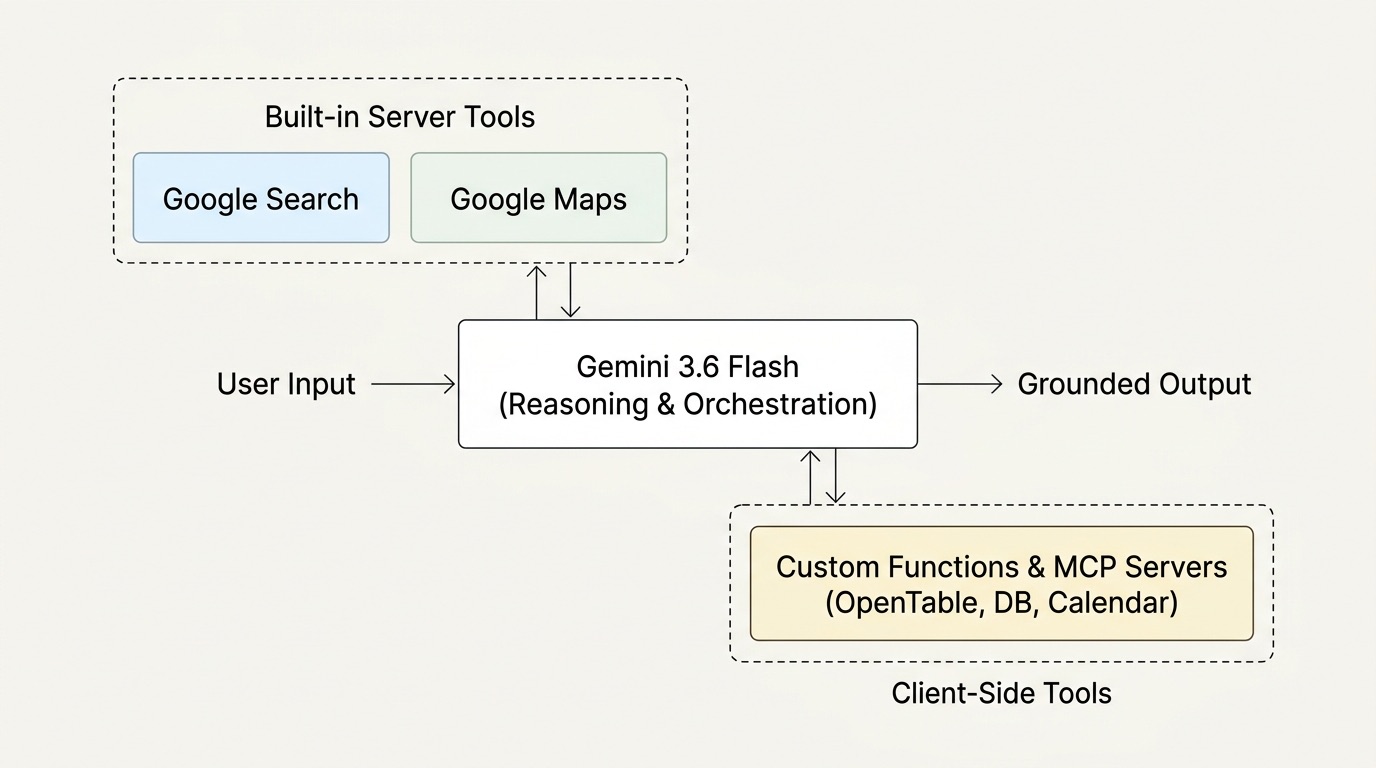
Gemini가 웹에서 장소를 찾으면, Maps에서 정확한 장소 정보를 조회한 뒤 구조화된 파라미터를 함수 호출(function call)에 넘긴다. 개발자 쪽에서 별도의 왕복 통신은 없다.
JavaScript 코드
Interactions API를 @google/genai로 설정하는 방법은 다음과 같다:
import { GoogleGenAI } from "@google/genai";

const ai = new GoogleGenAI({});

const bookTableTool = {
  type: "function",
  name: "book_table",
  description: "Reserves a table at a chosen venue.",
  parameters: {
    type: "object",
    properties: {
      placeName: { type: "string" },
      time: { type: "string" },
      partySize: { type: "number" },
      seatingPreference: { type: "string" }
    },
    required: ["placeName", "time"]
  }
};

const interaction = await ai.interactions.create({
  model: "gemini-3.6-flash",
  input: "Find a quiet coffee spot in SoHo with a garden patio open this morning, and book a table for 2 at 10am.",
  tools: [
    { type: "google_search" },
    { type: "google_maps" },
    bookTableTool
  ]
});
앱에서 실행하기
전체 흐름을 처음부터 끝까지 테스트하기 위해 간단한 앱을 만들어봤다.
프롬프트 입력부터 시작한다:
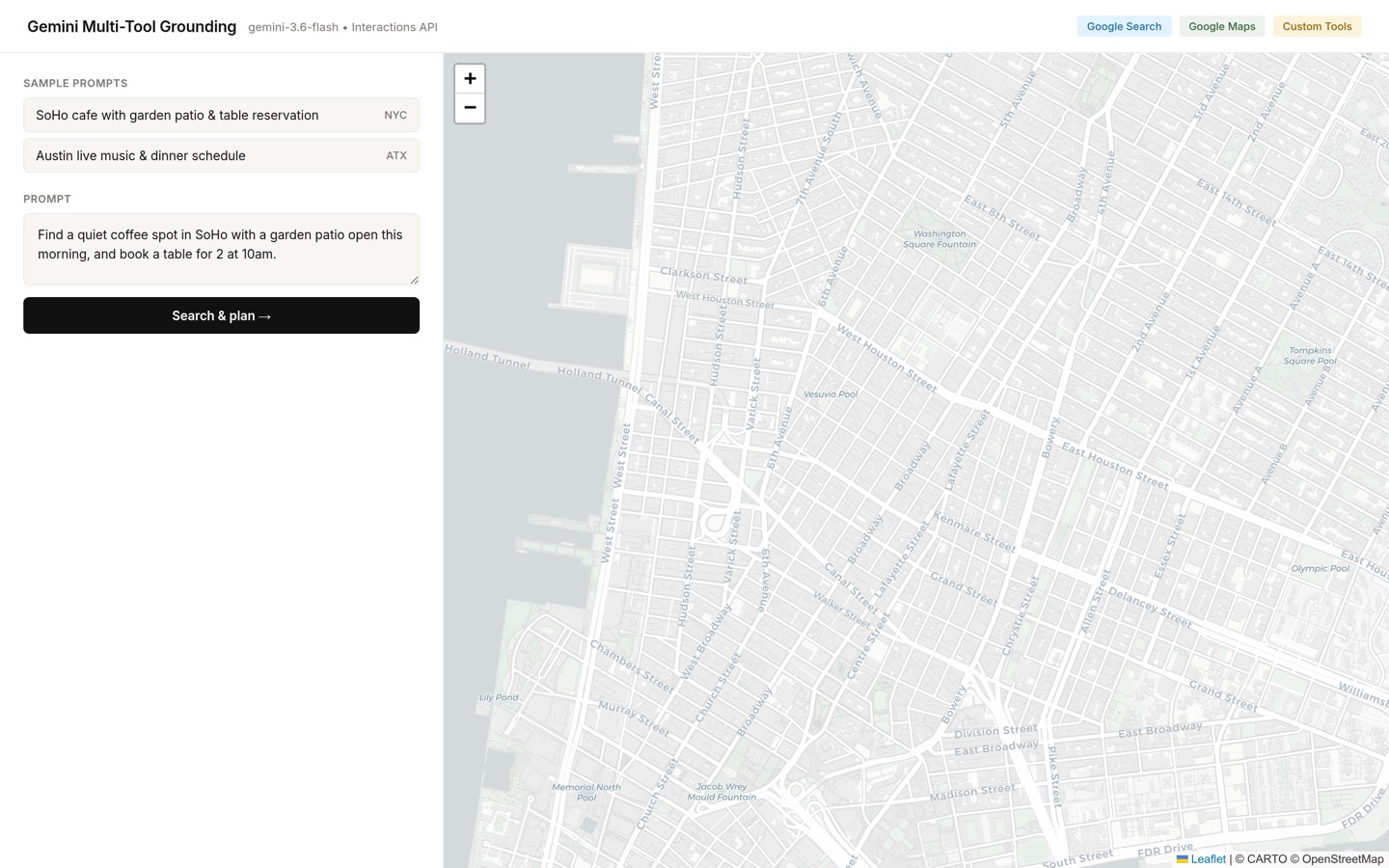
단 한 번의 턴에서, Gemini는 SoHo의 파티오 레스토랑을 웹에서 검색하고, Google Maps로 장소를 확인한 뒤, 지도에 핀을 꽂고 예약 액션을 준비한다:
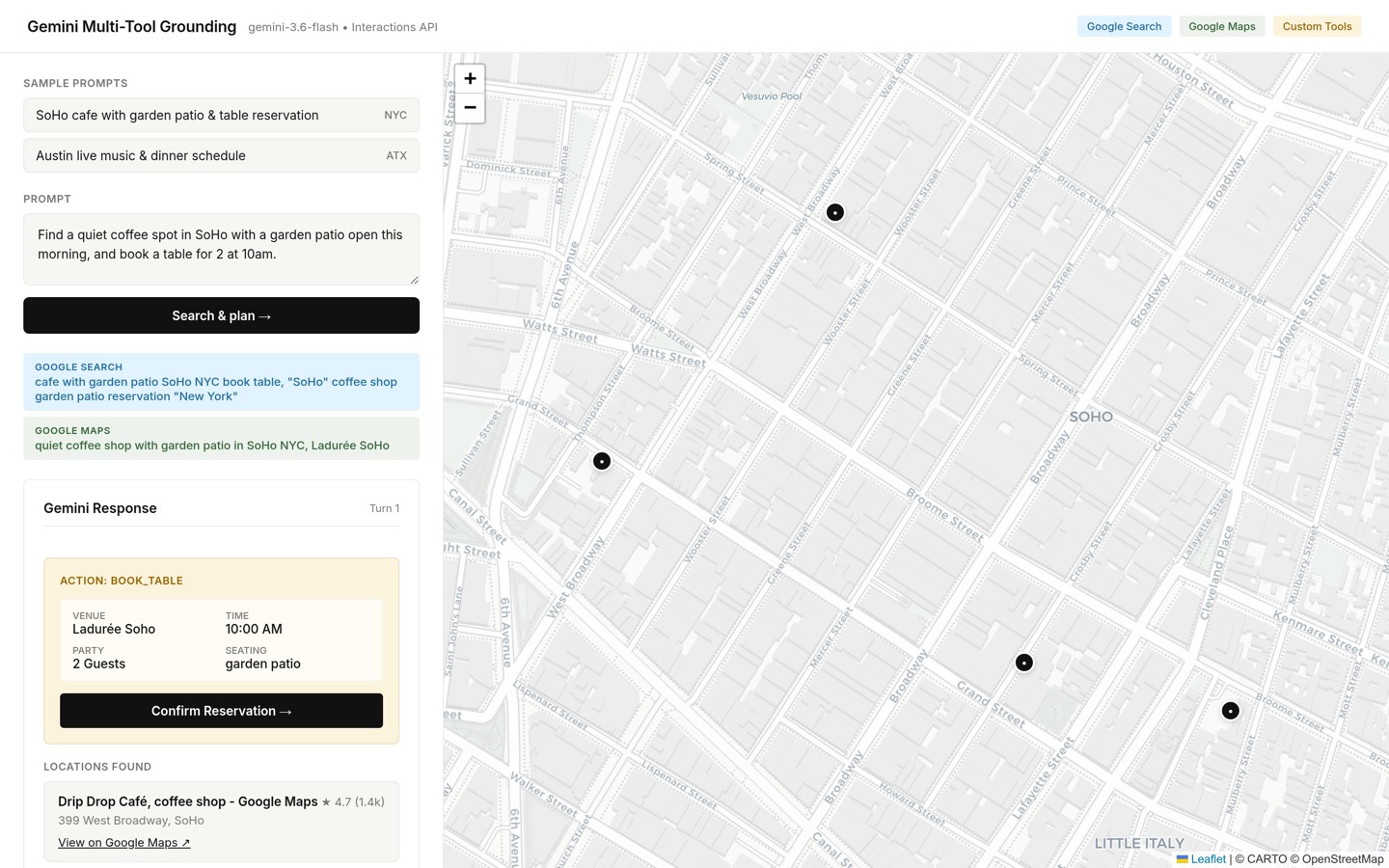
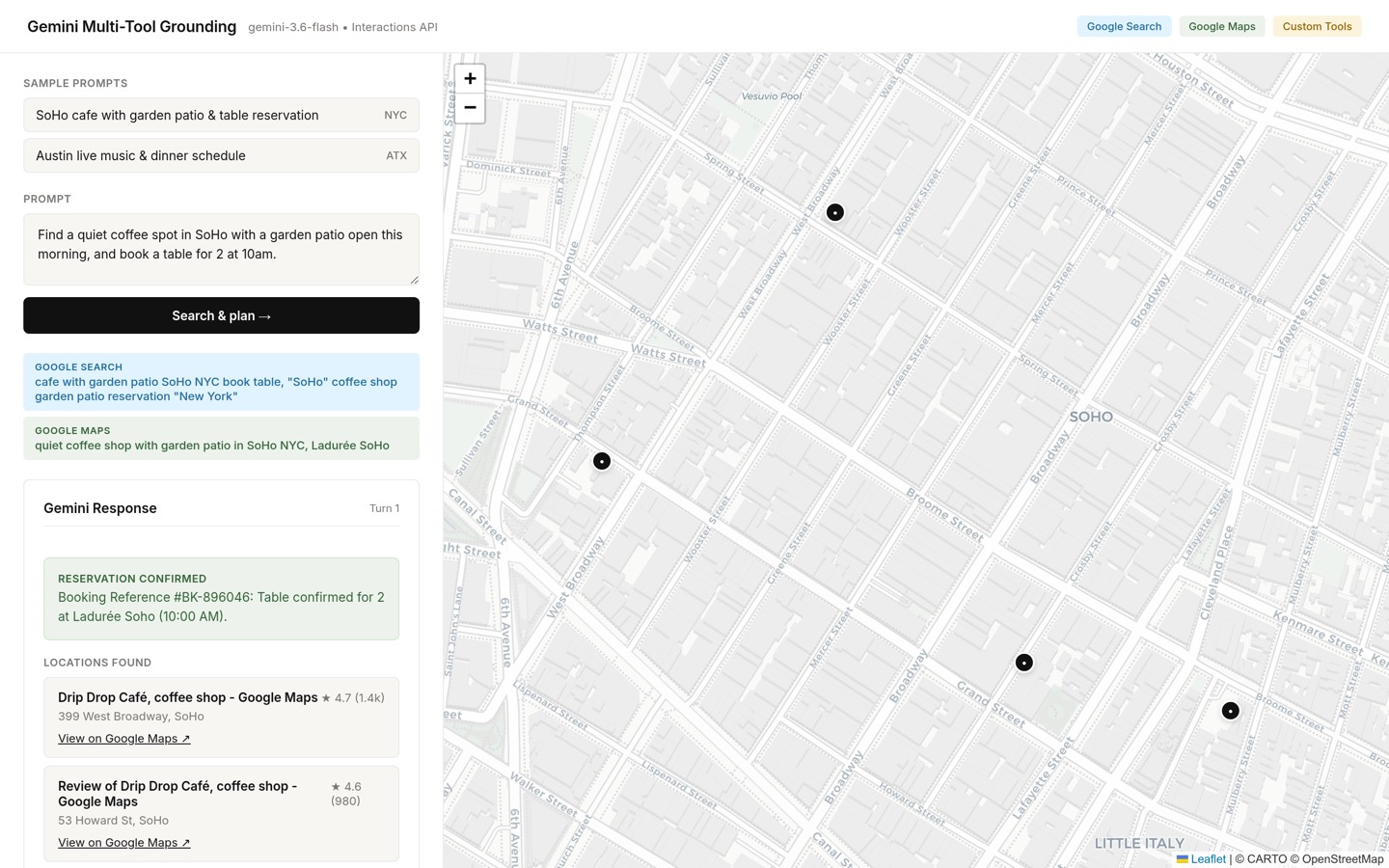
사용자가 확인 버튼을 클릭하면, 앱이 실제 예약 서비스를 호출해 참조 ID를 받아온 뒤, previous_interaction_id를 사용해 두 번째 턴에서 그 결과를 Gemini에 전달한다:
// 1. Execute the actual booking in your backend
const bookingResult = await reservationService.book({
  venue: functionCall.arguments.placeName,
  time: functionCall.arguments.time,
  party: functionCall.arguments.partySize
});

// 2. Send the result back to Gemini to finish the interaction
const finalInteraction = await ai.interactions.create({
  model: "gemini-3.6-flash",
  previous_interaction_id: interaction.id,
  input: [{
    type: "function_result",
    call_id: functionCall.id,
    name: "book_table",
    result: [{
      type: "text",
      text: JSON.stringify({
        status: "confirmed",
        reference: bookingResult.id
      })
    }]
  }]
});
서버는 그라운딩 컨텍스트와 대화 상태를 그대로 유지하므로, 토큰 히스토리를 다시 전송할 필요가 없다:
MCP로 OpenTable 연동하기
예약 함수를 직접 작성하는 대신, 기존 OpenTable MCP 서버를 바로 연결할 수 있다:
const interaction = await ai.interactions.create({
  model: "gemini-3.6-flash",
  input: "Find a romantic pasta bar in the West Village with an open table at 7:30pm and book it for 2.",
  tools: [
    { type: "google_search" },
    { type: "google_maps" },
    {
      type: "mcp_server",
      name: "opentable",
      url: "https://mcp.opentable.com/sse"
    }
  ]
});
Gemini는 Search로 레스토랑을 찾고, Maps에서 리뷰와 좌표를 확인한 뒤, 백그라운드에서 OpenTable MCP 서버를 통해 실시간 예약을 처리한다.
이게 좋은 이유
Search, Maps, MCP를 함께 쓰면 불필요한 반복 코드가 크게 줄어든다. 키워드를 따로 추출하거나, Places API를 별도로 호출하거나, 다음 단계를 파악하기 위해 다시 프롬프트를 보낼 필요가 없다.
직접 사용해보려면 Tool Combination, Maps Grounding, Interactions API 퀵스타트 문서를 참고하자.